Body
Overview
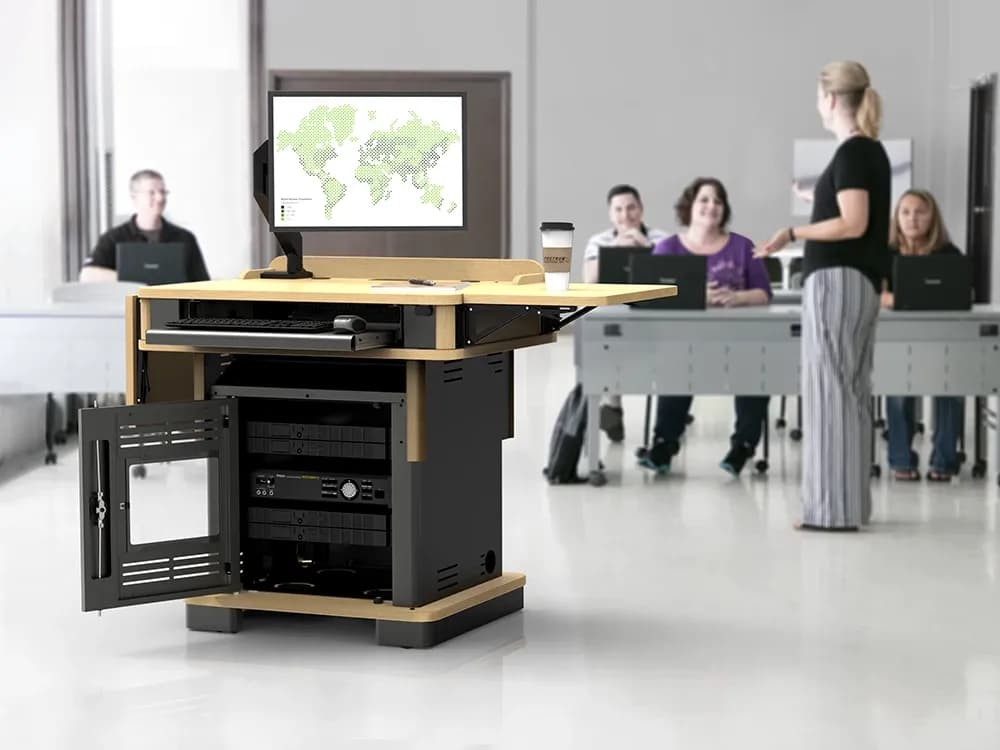
The Honors Lectern is a premium, height-adjustable podium designed for modern instructional and professional environments. With a timeless exterior and advanced internal engineering, it offers both aesthetic appeal and practical functionality. Its ability to raise and lower smoothly allows instructors and presenters to adjust the lectern to a comfortable working height for seated or standing use.
Key Features
- Motorized Height Adjustment: Smooth vertical movement controlled via integrated buttons.
- Flexible AV Integration: Optimized internal space for audio-visual components, cable management, and control systems.
- Space-Efficient Design: Compact footprint built to maximize usability without overwhelming the classroom.
- Professional Aesthetic: Blends classic wood finish with modern functionality suited for higher education, government, and executive settings.
- Durable Construction: Designed for daily use in presentation-heavy spaces.
How to Raise and Lower the Lectern
1. Locate the Control Buttons
Most Honors Lecterns feature two easy-to-identify buttons located:
- On the right-hand side of the lectern body
- Or on the underside edge of the work surface
(Exact placement may vary depending on model.)
2. Adjust the Height
- Press UP ▲ to raise the lectern
- Press DOWN ▼ to lower the lectern
The lectern will move as long as the button is held down.
3. Stop at Your Desired Height
Release the button once the lectern reaches a comfortable position.
The motor will stop immediately.
Safety & Operational Notes
- Do not place excessive weight on the surface while the lectern is in motion.
- Keep cables clear of the lift mechanism before adjusting height.
- Avoid rapid repeated adjustments to prevent motor overheating.
- If the lectern becomes unresponsive, check:
- The power connection
- The breaker/reset toggle (if applicable)
- The AV rack power inside the cabinet
Troubleshooting
Lectern will not move
✔ Confirm power cable is securely plugged in
✔ Test the outlet with another device
✔ Ensure no safety lockout switch is engaged
✔ Verify no obstruction is preventing movement
Movement is slow or uneven
✔ Remove heavy items from the surface
✔ Check for tangled or stretched cables inside
✔ Allow motor to rest if recently used extensively
Need Help?
If you experience issues or have questions, please contact the GOVSTECH Help Desk at govstech@apsu.edu or 931-221-4357.